Never Logged Off · a fictional 1998 internet you can explore
Search for a “Windows 98 simulator” and you will find two kinds of thing. There are emulators — real period operating systems running inside virtual machines, faithful down to the last DLL, built for software preservation. And there are simulators: hand-made recreations that aim not at the machine code but at the feeling — the teal desktop, the grey beveled windows, the particular calm of a computer that could only do one or two things at a time. Never Logged Off is proudly the second kind, and it takes the idea one step further: the desktop is not the exhibit. It is the front door.
The machine boots properly: a black BIOS screen counts its memory, finds its drives, and gives up to a Windows 98 splash screen before the desktop appears. The window manager is real — windows drag, minimize to the taskbar, maximize, resize and close, and the Start menu works the way you remember, including a Shut Down that sometimes has one quiet surprise left in it. There is a Recycle Bin, a Notepad, a Windows Help file, an Explorer window over a C: drive divided into My Documents, Windows, Games, Downloads and Logs, and a screensaver of flying toasters if you leave it alone for three minutes.
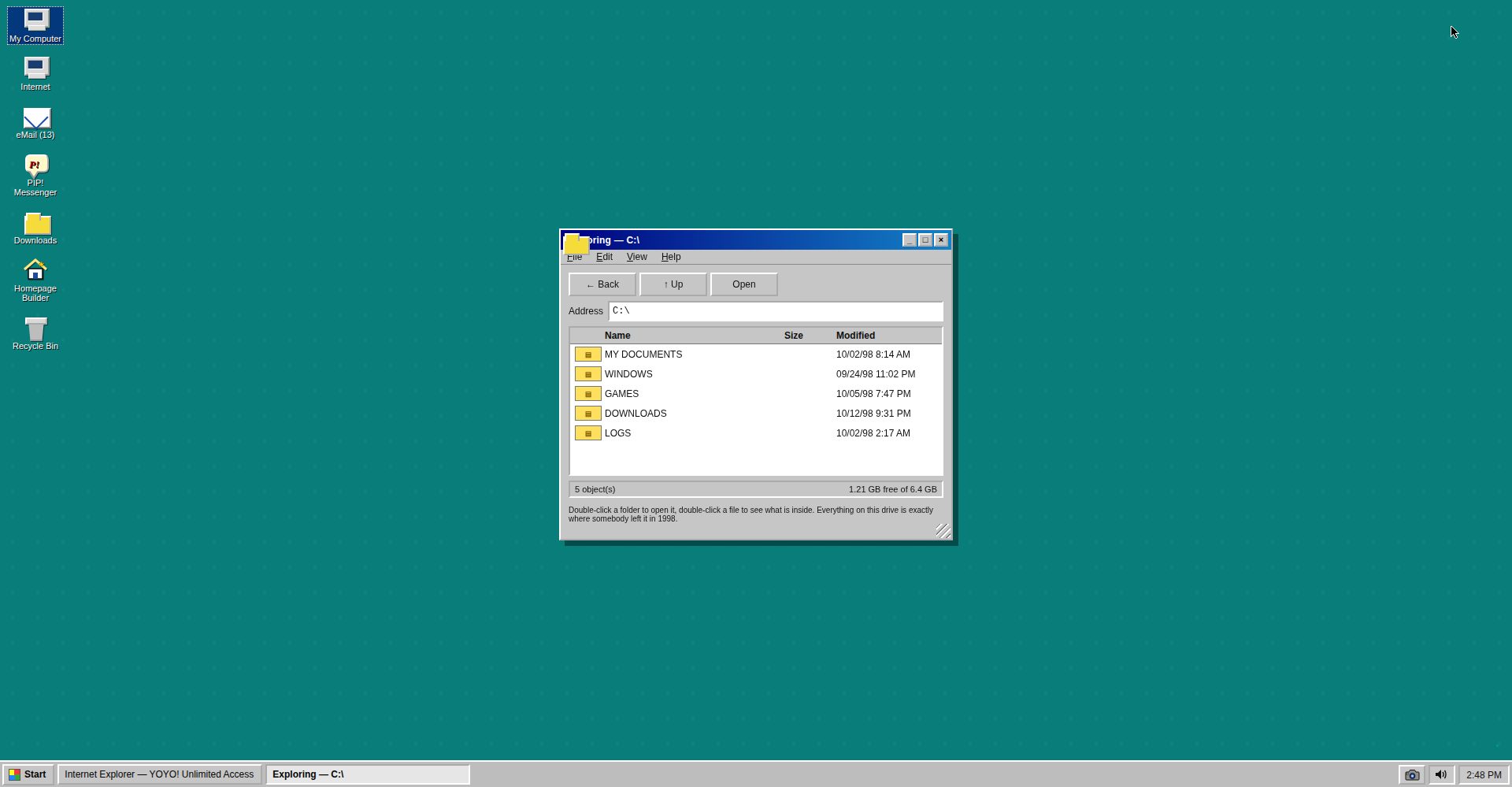
Most retro desktops stop at the desktop. This one is a computer whose job is to go online. Click Connect and you get the full dial-up ritual — the number dialed, the username verified, the synthesized handshake squealing (mutable, mercifully) — until the window reports “Connected at 49,333 bps” and Internet Explorer can finally load a page. Behind it sits a complete fictional internet: a portal, a search engine that indexes only this little world, more than 130 hand-written pages, an email client, an ICQ-style messenger, and Minesweeper, Snake and Solitaire for when the phone bill guilt kicks in.
This is a simulation, not emulation: no original Microsoft code runs here, and it will not open your old .exe files. Everything is ordinary HTML and JavaScript — it runs in any modern browser, on a phone as happily as on a desktop, with nothing to download or install. What it does faithfully reproduce is the behaviour of the era: the waits, the sounds, the one-application-at-a-time patience of it.
Because it is your computer, it keeps your state: read and deleted mail stays read and deleted, programs you “install” from the shareware site stay on your desktop, your game bests persist, and even the secrets you have uncovered stay uncovered — all saved locally in your browser, exportable if you want to carry the machine elsewhere. Come back in three days and it is the same slightly haunted PC you left. Start it up below; the modem is warmed up.